docomo bike share(Yokohama bay bike)

Applicable area:
Yokohama City

How can I reserve bike shares?

How to use docomo bike share with my route

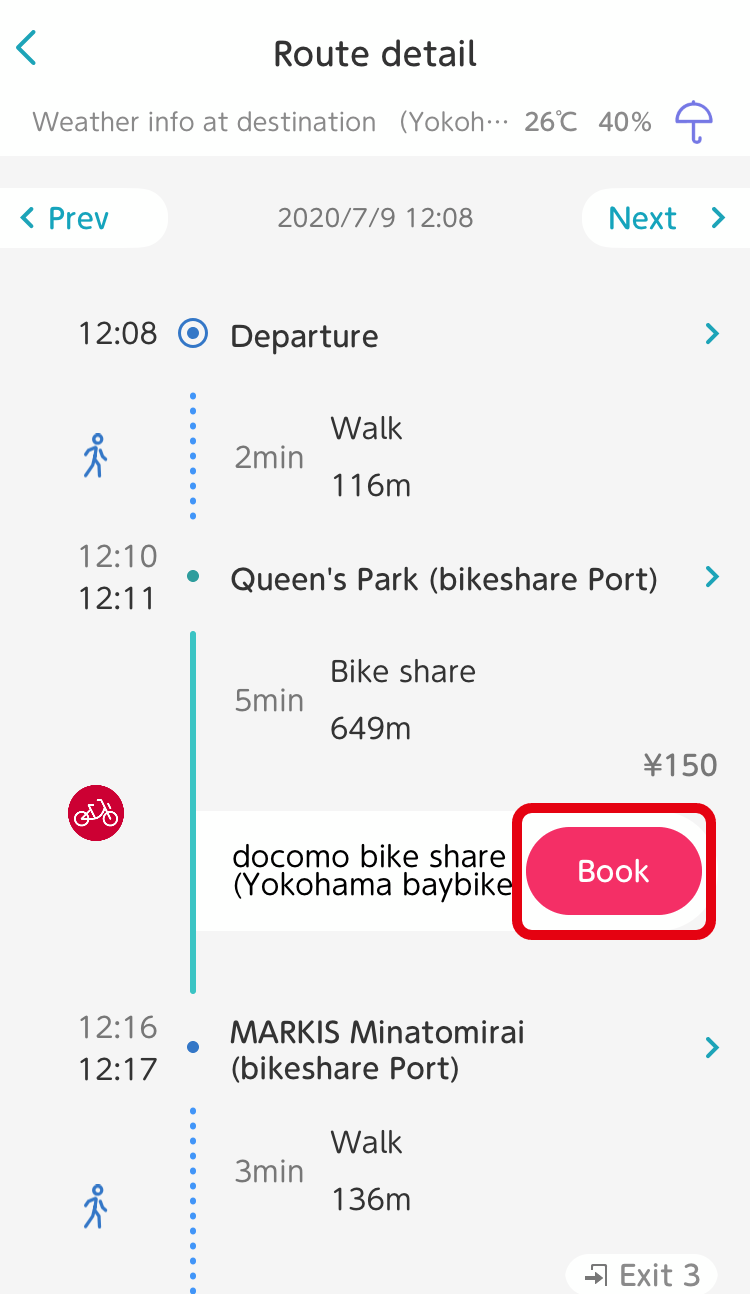
From the Route Details screen:
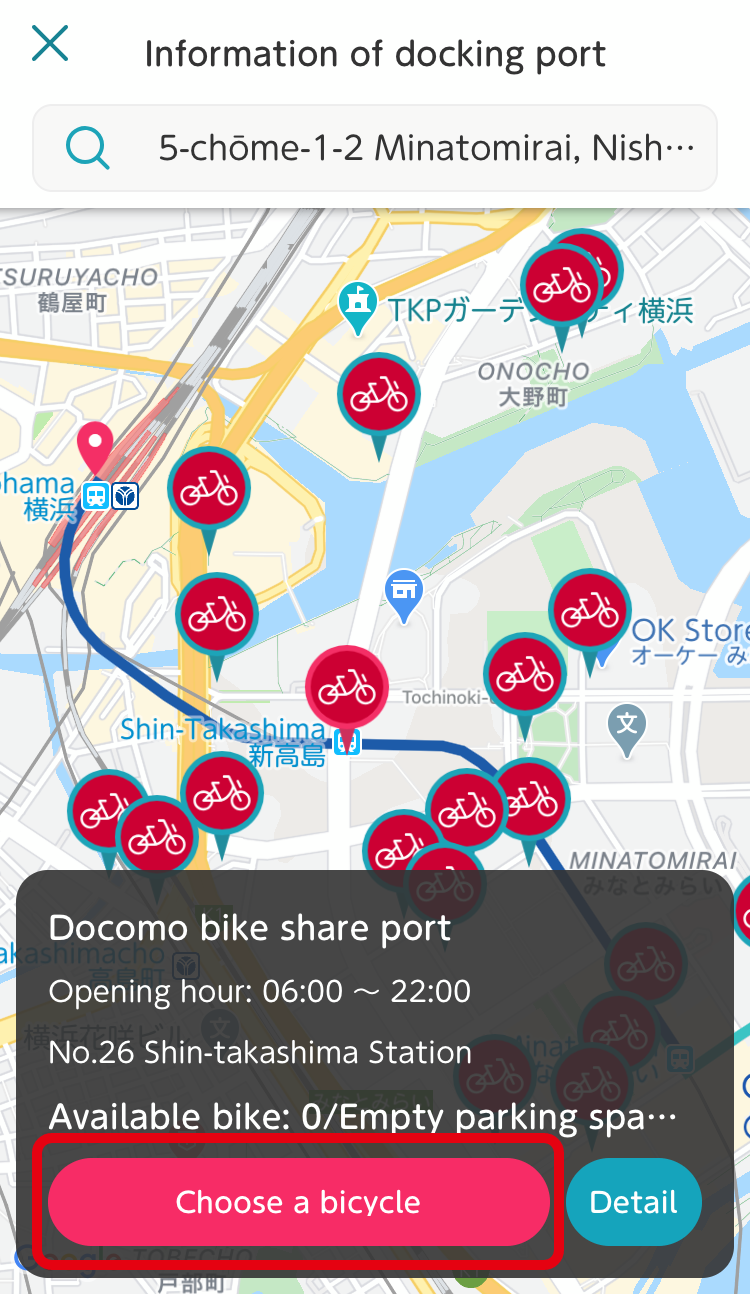
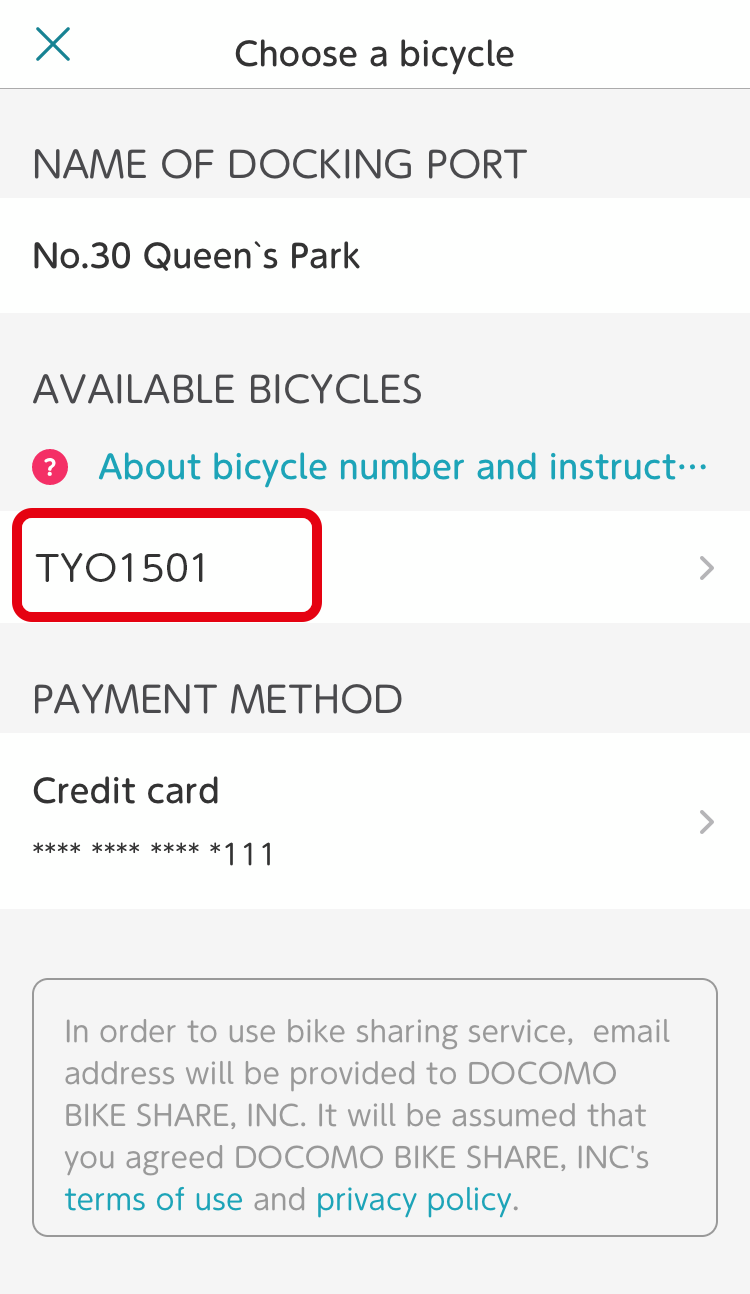
Tap the ‘Book’ button on a Route Details screen that includes bike share, and you will see the 'docking ports' on the route. Select your desired docking port and tap the 'Choose bicycle' button at the bottom of the screen.
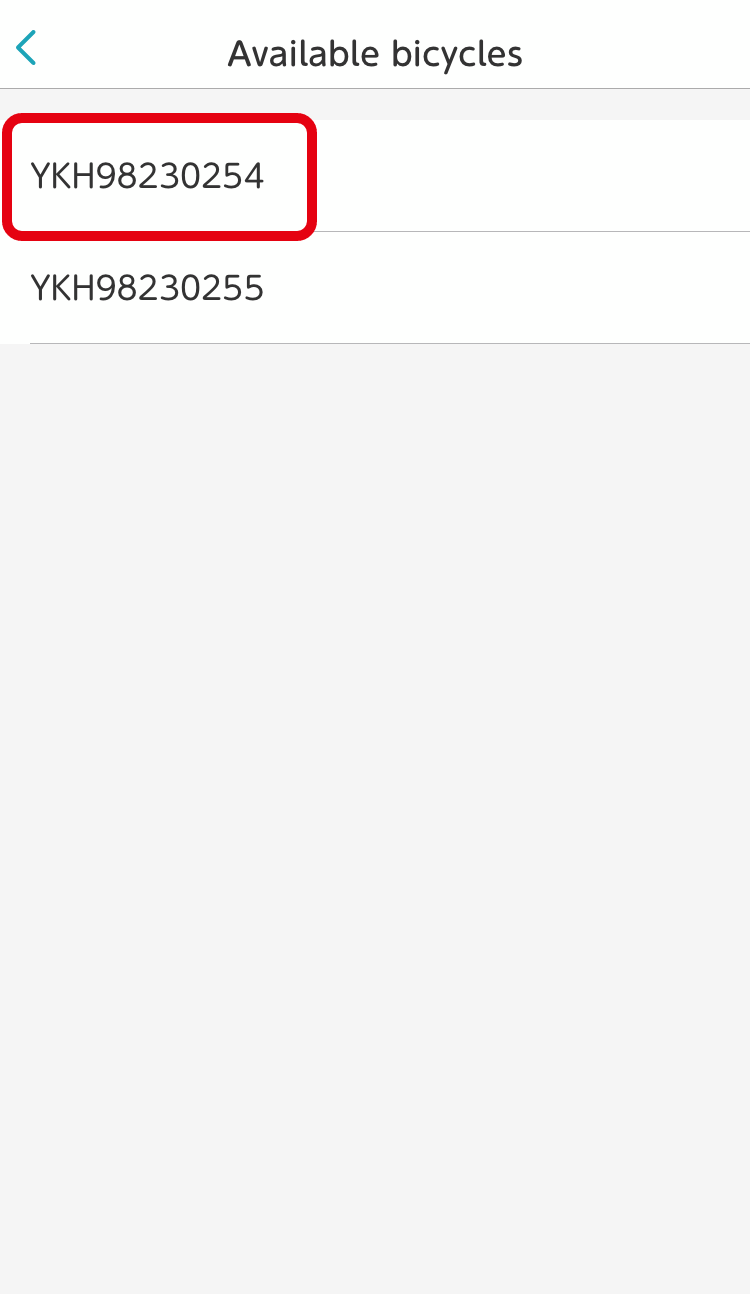
The bicycle selection screen will open. Confirm the bicycle you wish to use, payment method, and other details, and make your reservation.
From the 'Book' screen:
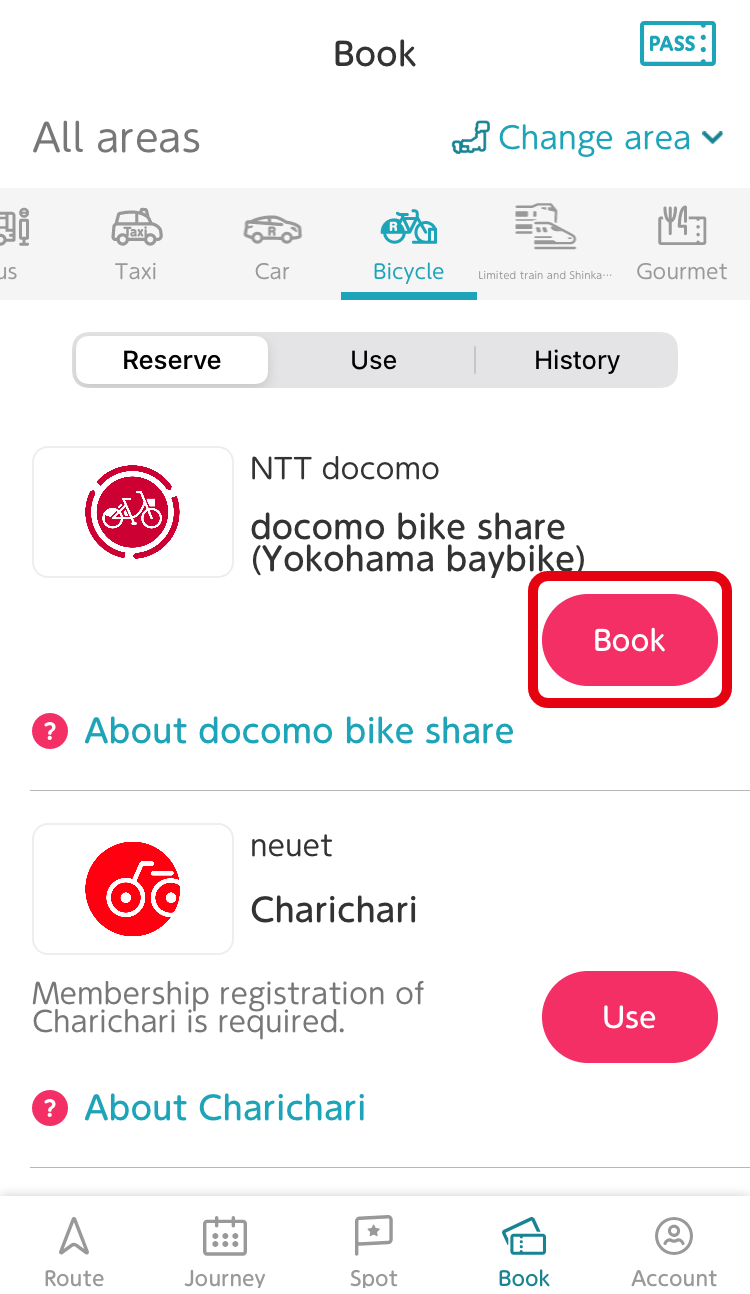
Tap 'Book' > 'Bicycle' tab > 'Book' at the bottom of the screen.
Choose your desired docking port and tap the 'Choose bicycle' button at the bottom of the screen.
The bicycle selection screen will open. Confirm the bicycle you wish to use, payment method, and other details, and make your reservation.
OK

How do I start using my docomo bike share bicycle?

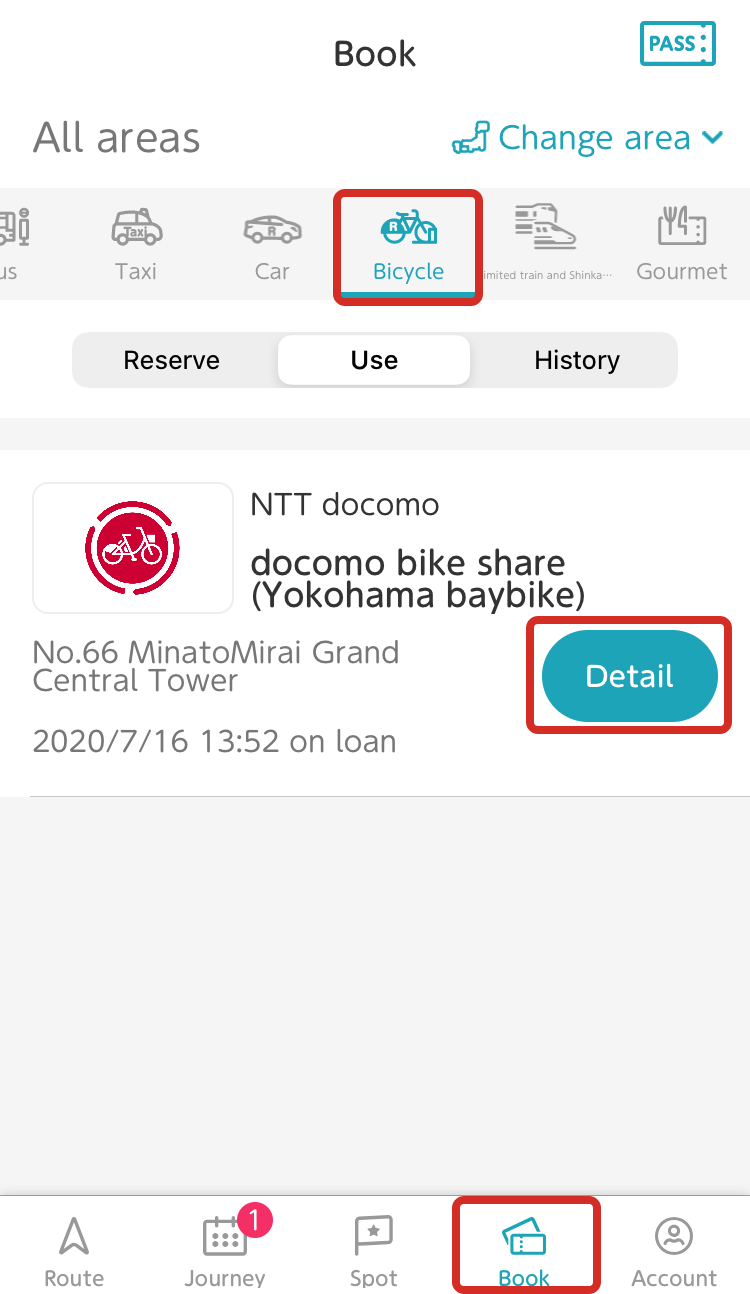
  1. 1. After completing your reservation, tap 'Book' > 'Bicycle' tab > 'Details' at the bottom of the screen.
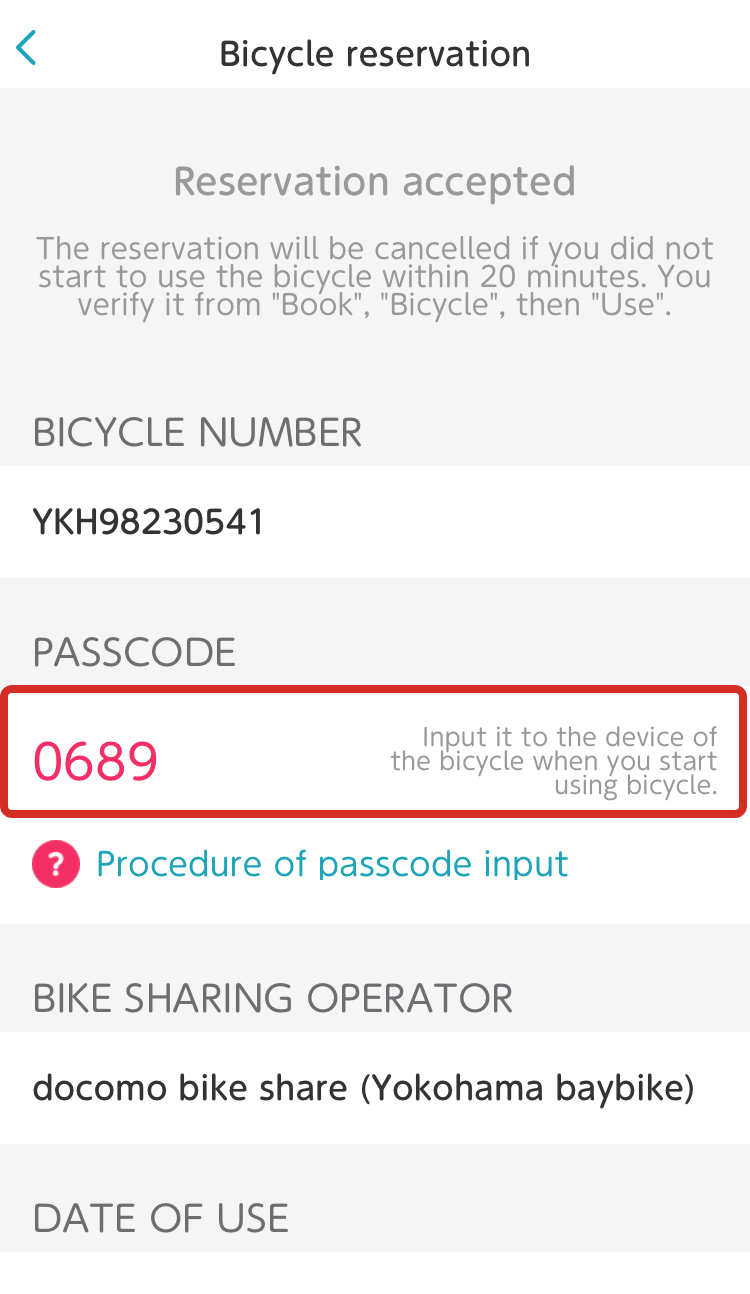
  2. 2. Push 'Start' on the operation panel for the bicycle you reserved and enter the passcode displayed on the details screen. The bicycle will then unlock.

*Please note that bicycles cannot be unlocked using IC cards with the my route app.

OK

Is there a time limit from when I make my reservation until I start using the bicycle?

Please note that your reservation will be cancelled if you do not begin using the bicycle within 20 minutes of reserving it.

*No cancellation fee will be charged in these cases.

OK

Can I cancel my reservation?

  1. 1. Tap 'Book' > 'Bicycle' tab > 'Detail' at the bottom of the screen.
  2. 2. Tap 'Reservation cancellation' on the Reservation Details screen.

*No cancellation fee will be charged in these cases.

OK

Can I be issued a receipt?

Be aware that the my route app does not issue receipts.

OK

Where do I inquire if my bicycle breaks down or is involved in an accident?

Check the docomo bike share website.

OK